
Use cases
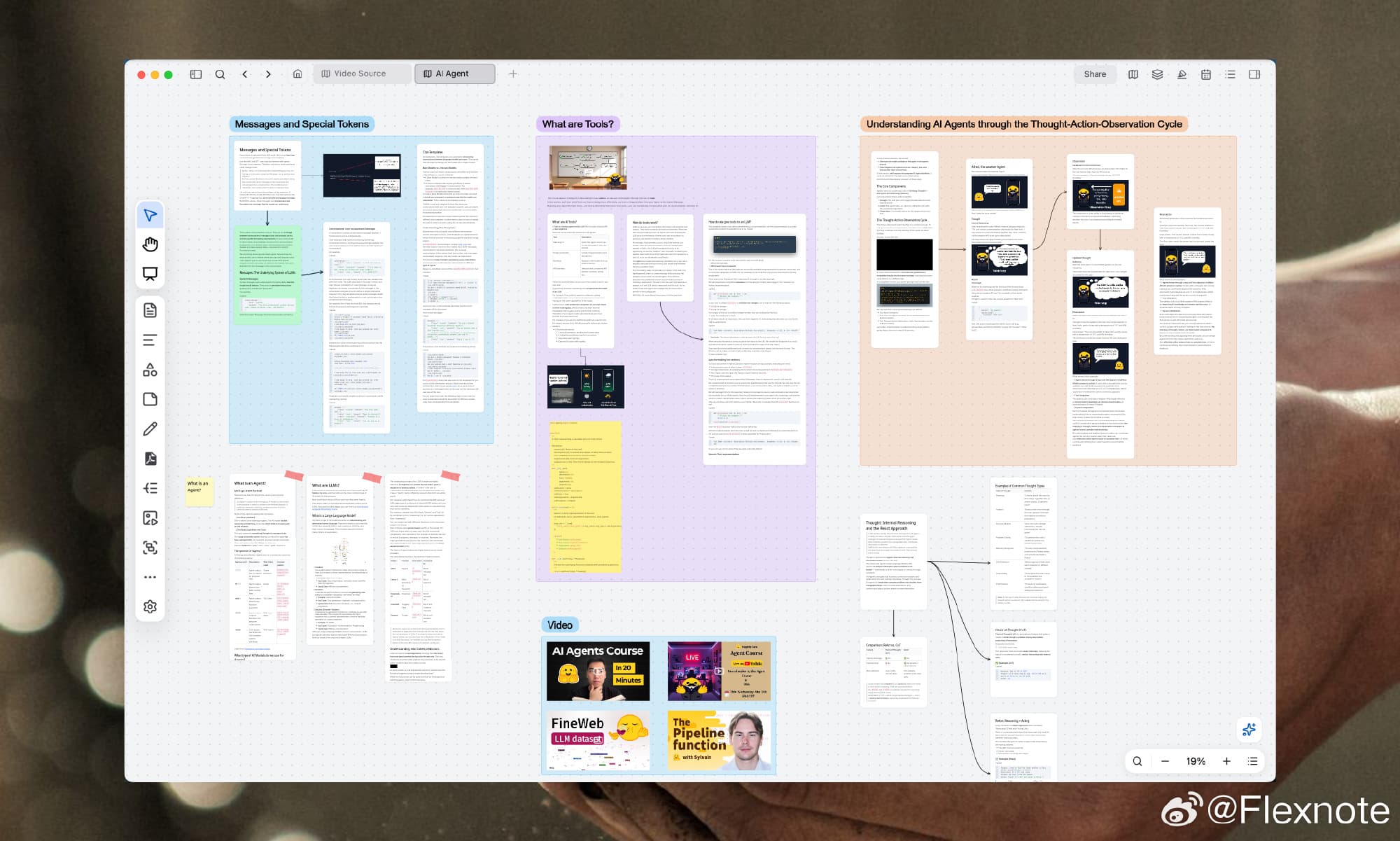
Literature review whiteboard
Flexnote keeps PDFs, highlights, and notes on one canvas while you read papers, compare arguments, or write a review. Create cards, groups, and mind maps, and connect them by research question. Files stay on your computer, so you can keep organizing offline.
01
Read and annotate PDFs on the canvas
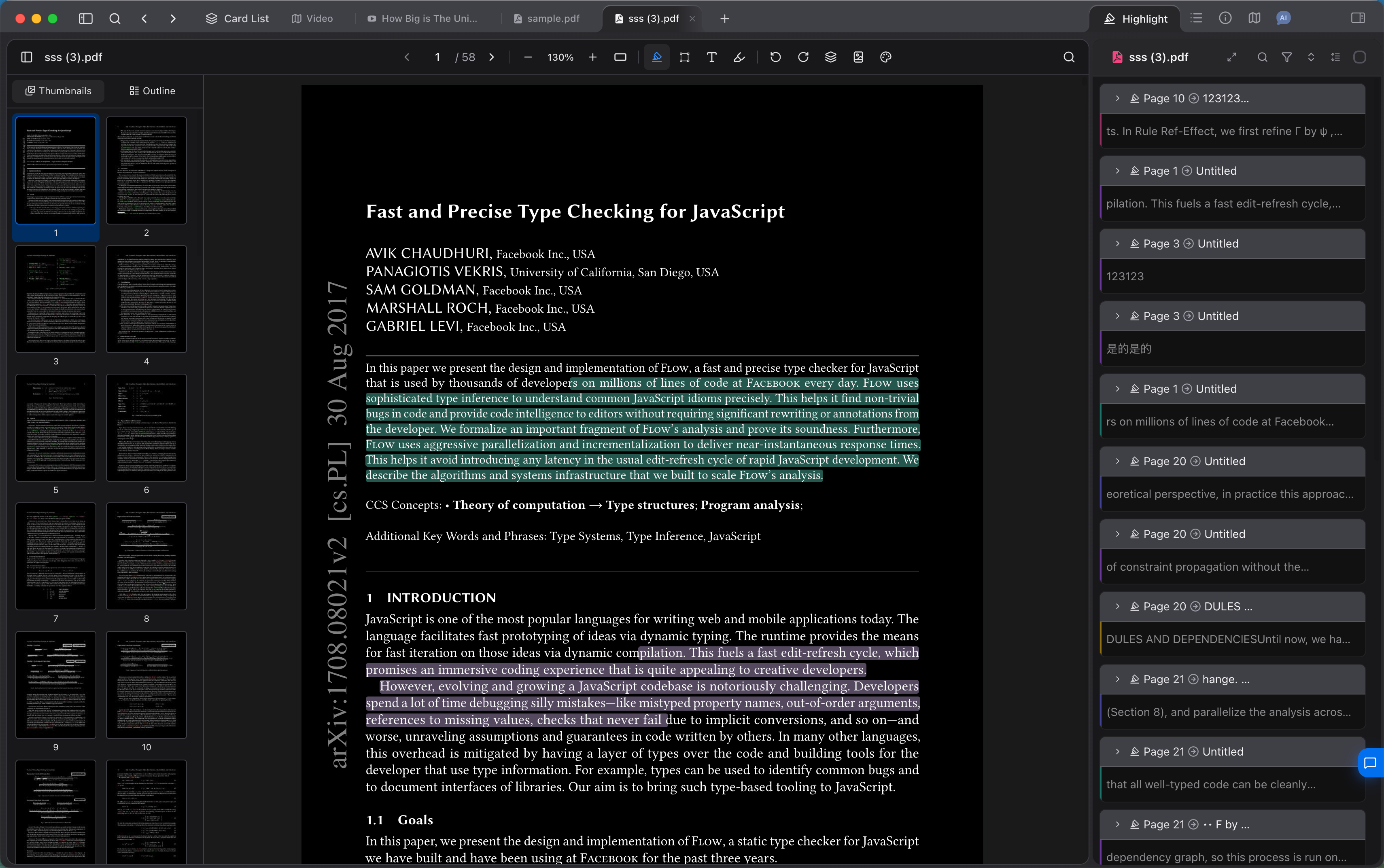
Drop a paper onto the infinite canvas and open it beside your notes. Highlights and comments stay on the source, and each one can become a card that jumps back to the page.
Highlight the source. Comments stay in the list on the right.
02
Make the relationships clear
Use cards, links, and mind maps to show the concepts and arguments in a paper. When you plan a proposal, a review, or a long article, settle the structure on the canvas before you write.
Turn the literature structure into a mind map
03
Organize papers by research question
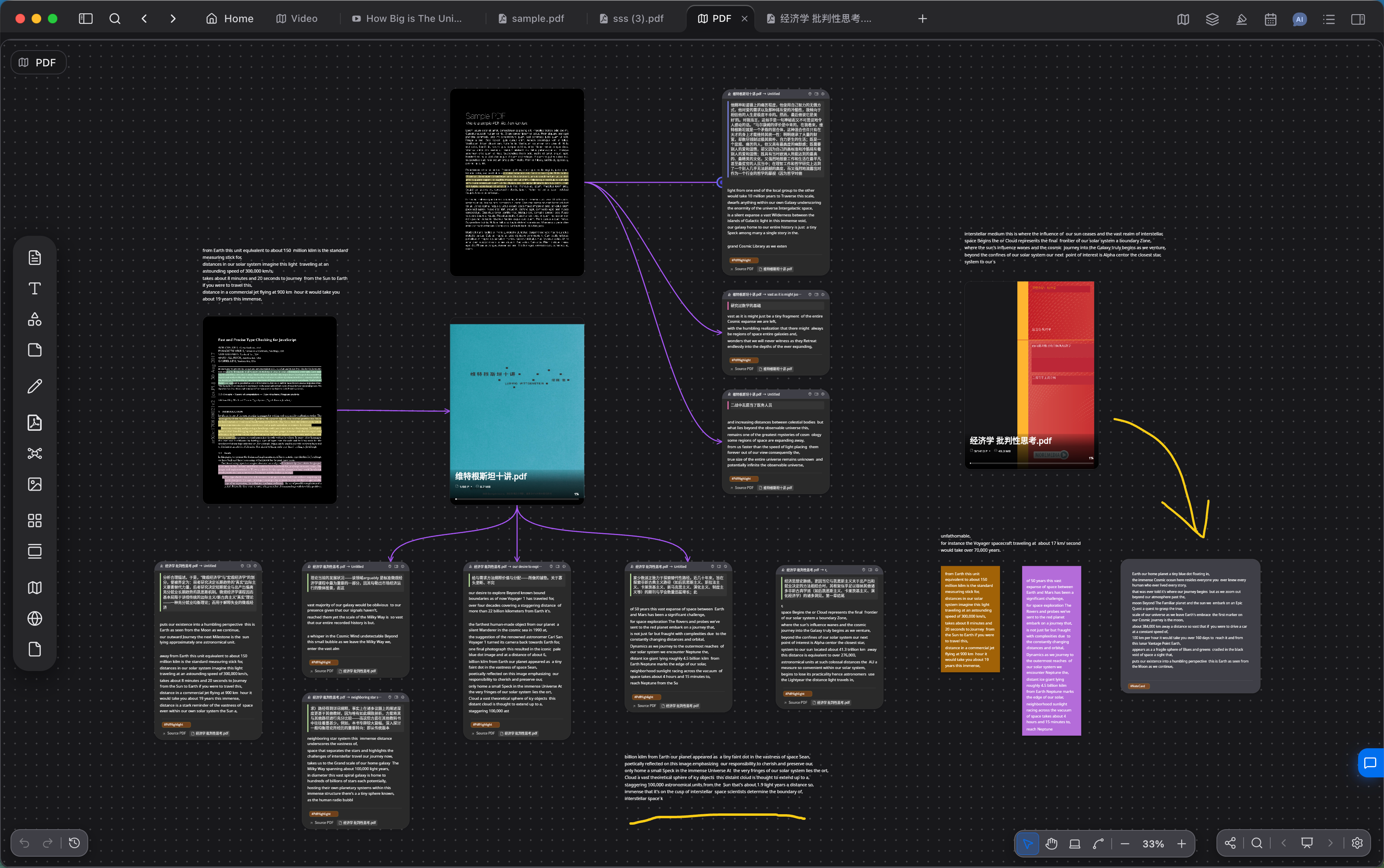
Keep several papers on one canvas. Group the cards that share an argument, and draw links for support, disagreement, and what still needs a source, so the review structure exists before the draft.
Group and link several papers on one canvas
04
Papers stay on your computer
Notes and files stay on your device by default, so you can keep reading and organizing offline. To sync across devices, connect Baidu Netdisk, OneDrive, S3, or WebDAV.
What a literature review uses
Reading, annotation, organization, and questions stay on the same whiteboard.
01
Open PDFs on an infinite canvas, with highlights and comments
02
Turn a highlight into a card that jumps back to the page
03
Group and link cards by research question, marking support and disagreement
04
Turn the literature structure into a mind map
05
Use tags to collect cards from different papers
06
Local-first storage, so you can keep editing offline
Literature review questions
Does the literature review workflow require a paid plan?
The free plan includes 3 whiteboards and 100 cards. That is enough for a smaller review, including opening PDFs and highlighting them on your computer. When you need more papers and cards, upgrade to Pro or a lifetime license. AI chat uses your own model API key.
Can I write a literature review on a whiteboard?
Yes. Place the PDFs on the canvas, highlight the source, and turn those highlights into cards. Group and link them by research question, then write from that structure.
How do I share a review whiteboard?
You can publish a whiteboard as a link. Publishing is optional, and anyone with the link can view what is on it. Notes you have not published stay on your device.
Where are the papers stored?
Notes and files stay on your device by default and are not uploaded to Flexnote servers. To sync across devices, connect Baidu Netdisk, OneDrive, S3, or WebDAV. You keep the credentials.
Keep reading
Start organizing your papers
Download Flexnote, open a paper on your computer, and add highlights, cards, and links. Available for Windows and macOS.
Download Flexnote