
Use cases
Video and course notes
Flexnote keeps the video, the timestamps, and your notes on one canvas while you take a class, watch a lecture, or listen to a podcast. A mark becomes a card that jumps back to that moment. Import from Bilibili, YouTube, Douyin, TikTok, cloud drives, and local video.
01
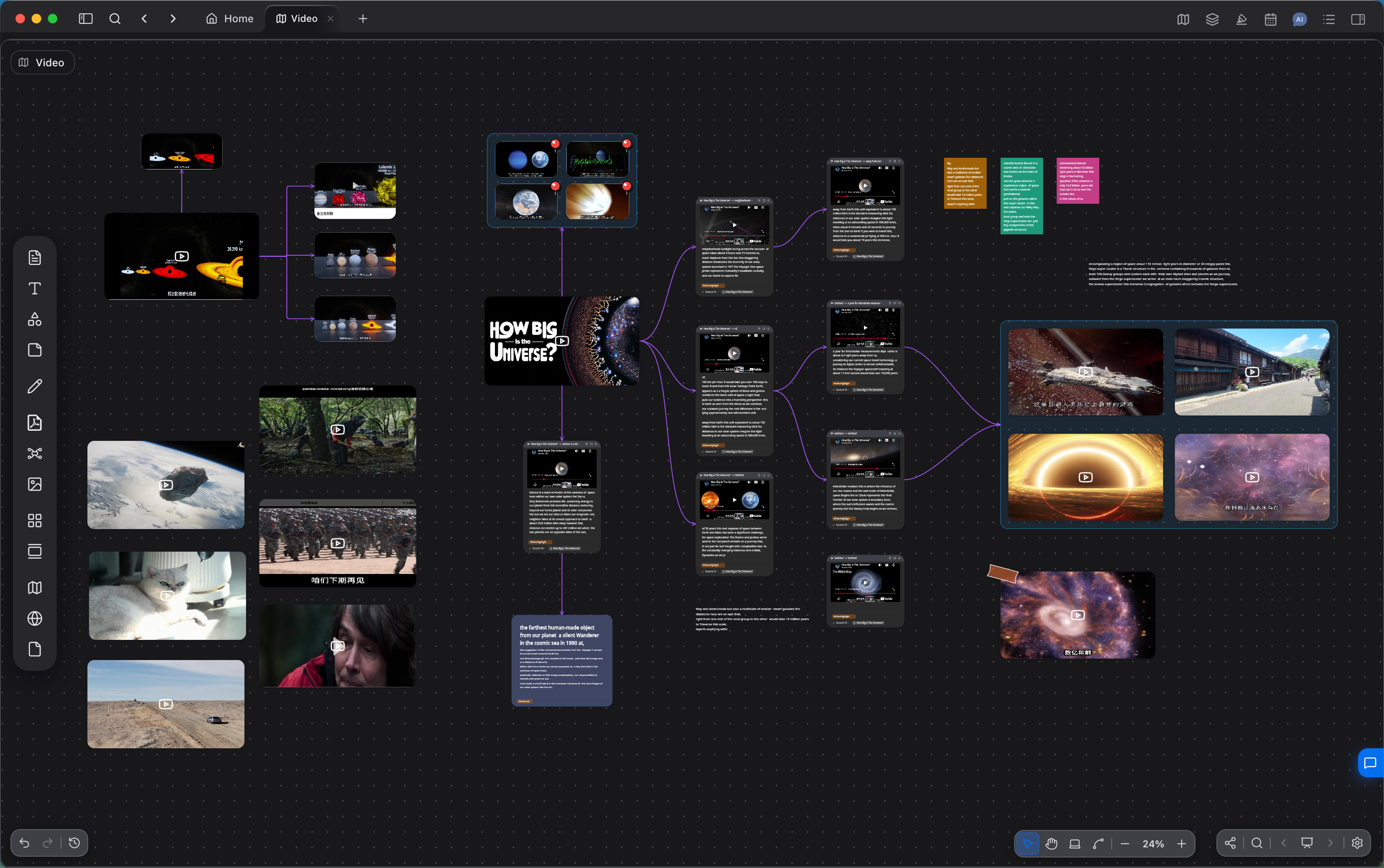
Import video from each platform
Bring in video from Bilibili, YouTube, Douyin, TikTok, a cloud drive, or a local file. Play it in Flexnote and start the notes there.
Import from Bilibili, YouTube, Douyin, TikTok, and cloud drives
02
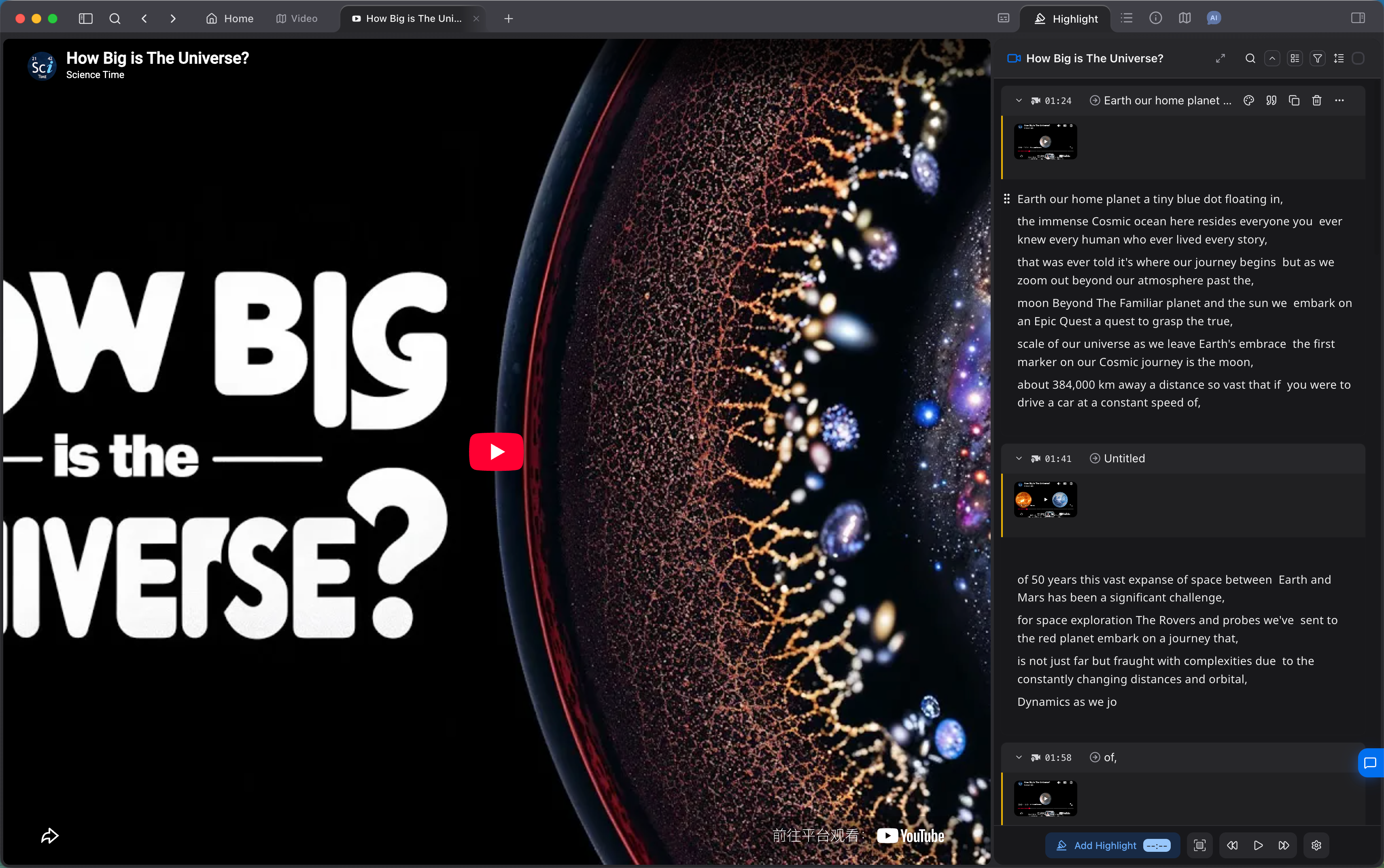
Mark the video by timestamp
Play the video on the canvas and add a timestamp highlight at the frames that matter. The highlight keeps that time, and you can capture the frame as a card.
Timestamp highlights sit beside the notes list
03
Ask about the video
After the video is imported, ask about what is in it. Answers include the timestamp and the matching frame. AI chat uses your own model API key.
Summaries and questions jump to the matching moment
04
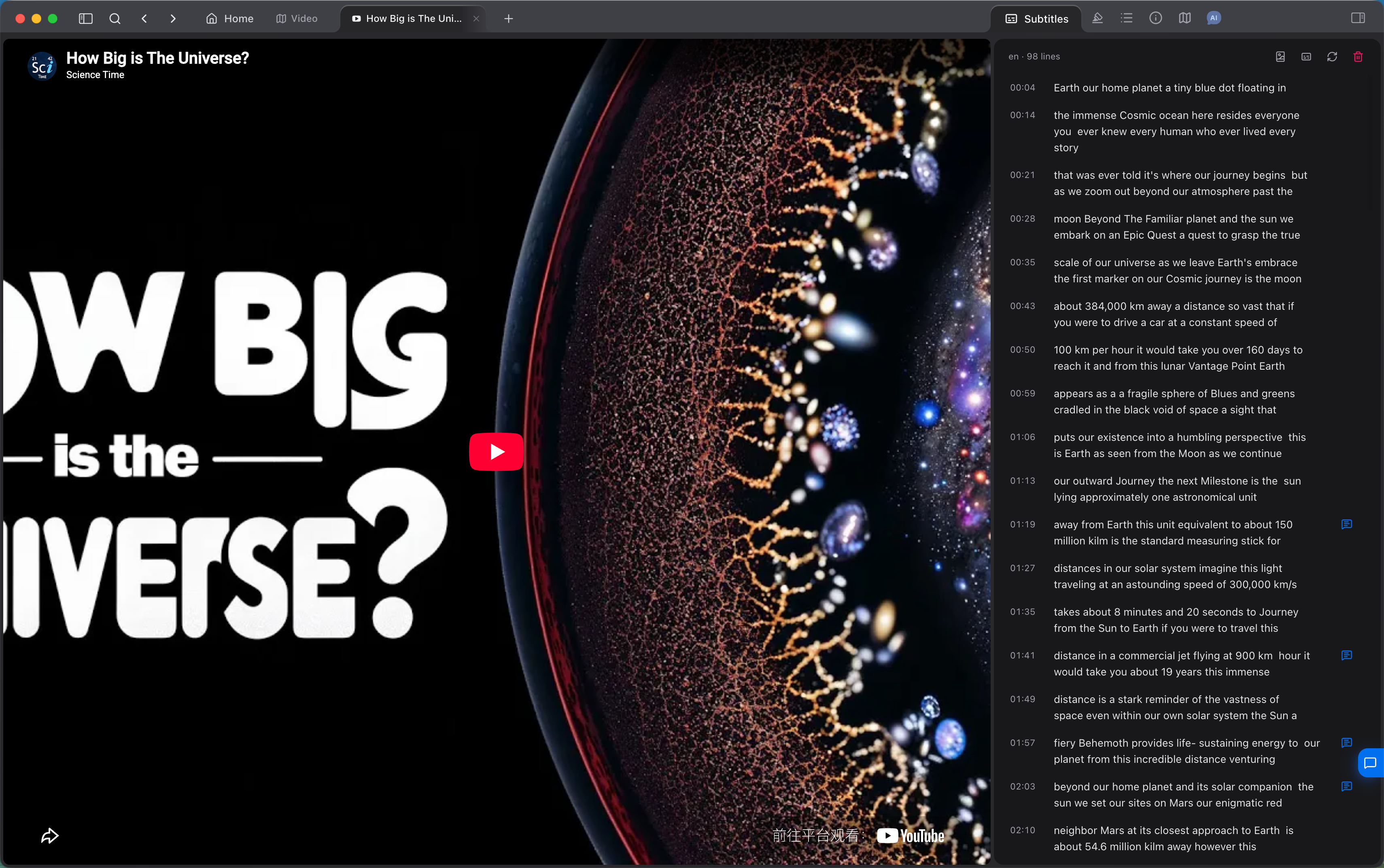
Line up subtitles and notes
Use the subtitles to find a passage. Notes, highlights, and the frame stay together, and reviewing a note jumps straight to that time.
Subtitles sit beside the video, so you can jump to a passage
05
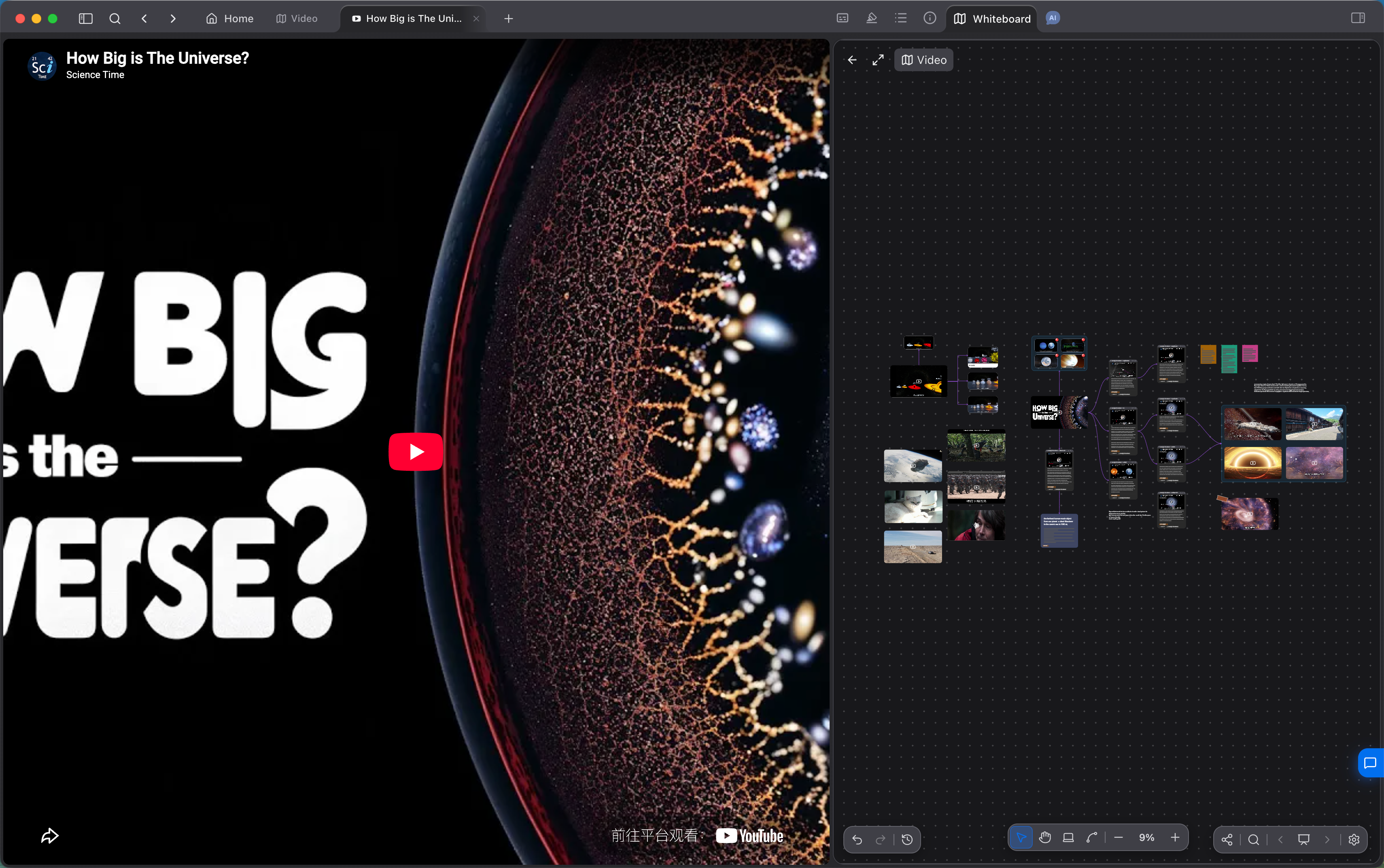
Lay a lesson out on the whiteboard
Place the timestamp cards on the infinite canvas, then group and link them by chapter or question. The shape of a class or a lecture can exist on the canvas first.
The video sits beside the whiteboard, with cards grouped and linked by topic
What video notes use
Playback, annotation, organization, and questions stay on the same whiteboard.
01
Timestamp notes for Bilibili, YouTube, Douyin, TikTok, cloud-drive video, and local files
02
Tie a highlight to a moment, and capture the frame as a card
03
Find a passage from the subtitles, then jump back to it
04
Group and link a lesson’s cards on the whiteboard
05
Ask about the video and get a timestamp with the matching frame
06
Timestamp highlights for audio, including podcasts and lecture recordings
Video note questions
Which video sources are supported?
Bilibili, YouTube, Douyin, TikTok, cloud-drive video such as Baidu Netdisk and Quark, local video, and other major video platforms. Audio can take timestamp highlights too, which fits podcasts and lecture recordings.
How does a note return to a moment in the video?
Highlights and cards are tied to a specific time, and they can keep a capture of that frame. Open the card to return to that moment without scrubbing the timeline.
Can I watch online video offline?
Local video and notes already saved on the device can be edited offline. Online video from Bilibili, YouTube, Douyin, TikTok, and cloud drives needs a network connection to play. Notes are not uploaded to Flexnote servers by default.
How do I share the notes for a lesson?
You can publish a whiteboard as a link. Publishing is optional, and anyone with the link can view what is on it. Notes you have not published stay on your device.
Start with one video
Download Flexnote, open a local video or an online class, and add timestamp notes to the frames that matter. Available for Windows and macOS.
Download Flexnote